

By Ward van Gasteren
One of the first growth hackers in Europe, Author of 'Growing Happy Clients', and freelance Growth Consultant.




A serious security hole in PHP lets hackers take over websites without a password. The fix comes out today, 21 October, at 16:00 Amsterdam time (14:00 UTC), says the PHP organisation themselves, and if not installed quickly, you'll actually have the highest risk after 16:00. I've built several websites for clients with AI (Claude Code) myself, so since this became public news I've been on top of it to secure all of them.
What happened, in plain words
- What is PHP: A free programming language that runs on the computer that hosts a website (the "server"). WordPress runs on it, and so do many web shops and cheap hosting packages. PHP runs 69% of all websites whose server language is known.
- What an attacker can do: Send one request to your site, then run anything on your server: steal customer data and passwords, change pages, or install malware. Your login page does not stop it.
- Why it is urgent: The details leaked before the fix was ready. Cloudflare sees the first attacks.
- Why is the risk bigger after the 16:00-fix? Currently only PHP-insiders know how the hack works. Once the fix is live, anybody can see the hole they tried to fix, and security firm Sansec expects mass attacks within 15 minutes after the fix comes out.
For your developer: these are the official ID numbers for the two security holes, CVE-2026-109618 and CVE-2026-109619. Together they are nicknamed "PHP2Shell". The severity rating is 9.2 out of 10. Anything above 9 counts as critical, which means act immediately. Scores that high are rare: only about 8% of the security holes published in 2025 were rated critical, and most are rated lower. Your developer should update PHP to the fixed version as soon as it is released, or take the site offline until it is updated.
Is my website built with AI at risk?
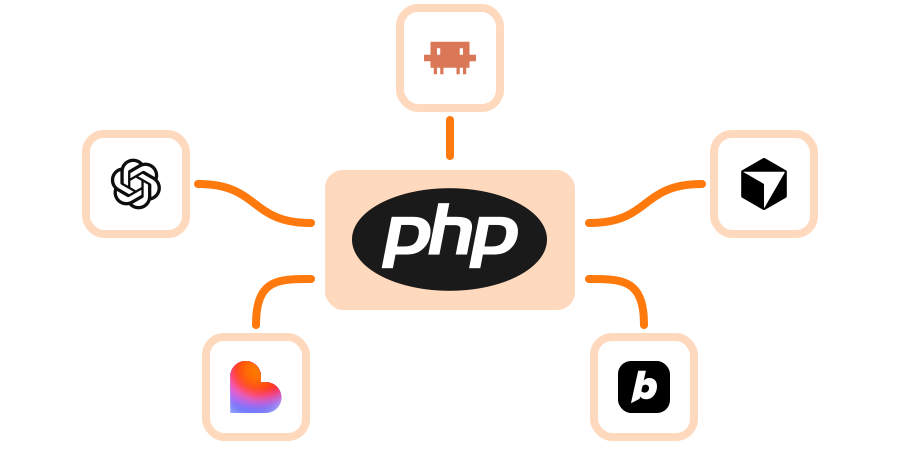
No, most AI coding tools, like Claude Code, ChatGPT or Lovable, rarely choose PHP for a new site. The risk is in what sits around it: an old WordPress blog, a contact form, a tool on your own server.
| AI tool | Usually safe, because | At risk when |
|---|---|---|
| Claude Code | It mostly builds with modern tools such as Next.js, React or Astro, and puts the site online with Vercel or Netlify. None of these use PHP. | You let it work on a WordPress site, or asked it to add something to your existing hosting. |
| ChatGPT | It gives you code to copy, usually HTML or React. Plain pages don't run PHP. | You uploaded its code to cheap hosting together with a .php file, such as a contact form. |
| Lovable | Lovable hosts the site itself and builds with React and a Supabase database. Its docs don't mention PHP. | You moved the site to other hosting that also runs PHP, or your domain has a WordPress blog next to it. |
The most common trap: a contact form. Ask an AI for "a contact form on my hosting", and it often writes a small PHP file (for example contact.php or mail.php) that emails you the message. That one file is enough for an attacker. Forms from services like Tally, Typeform or Netlify Forms are fine: those companies run and update their own servers.
Automatic updates don't fix this. WordPress updates itself, not the PHP under it. Wordfence, a WordPress security company, warns you must find out who updates PHP: your hosting company, your developer, or you.
Third-party tools to check
These popular tools run on PHP. If you installed one on your own hosting or server, it is at risk until the update is in.
| Tool | What it does | Often found |
|---|---|---|
| WordPress with plugins like Contact Form 7, WPForms or Elementor | Website, blog, forms, page builder | Old company site, blog subdomain |
| WooCommerce, Magento, PrestaShop | Web shop | Shop subdomain |
| Matomo | Privacy-friendly website statistics | Installed to avoid Google Analytics |
| Mautic, Sendy | Email newsletters and marketing | Installed to save on Mailchimp costs |
| phpMyAdmin, Roundcube | Database admin, webmail | Comes with cheap hosting that has a control panel such as cPanel or Plesk |
| Nextcloud | File sharing, like a private Dropbox | Your own server |
| Moodle | Online courses | Course or academy subdomain |
| Laravel or Symfony apps | Custom apps (these are PHP toolkits developers build with) | Built by a freelancer or agency |
Nothing to do for you: websites and tools that a company hosts for you, such as Webflow, Framer, Wix, Squarespace, Shopify, WordPress.com or Mailchimp. The company must install the fix, not you.
What to do today
The first three steps take half an hour and need no technical skills.
- List all your websites. Every domain and subdomain: main site, blog, old site, agency landing pages, test sites. Note who hosts each one.
- AI-Plugins to look out for: These are common tools among vibe-coders that might use PHP without you knowing:
- AI website builders like Elementor AI, Divi AI or 10Web. They are all WordPress under the hood.
- Content systems Craft CMS and Drupal.
- Server control panels cPanel, Plesk and DirectAdmin, the most common ones on cheap hosting.
- Website statistics with Matomo, if you installed it yourself.
- Customer support with FreeScout.
- CRM with SuiteCRM.
- Appointment booking with Easy!Appointments.
- Web shops on OpenCart.
- Old landing pages still online at a cheap hosting company, often with a PHP contact form.
- Find which ones use PHP. Ask your hosting company, or let your AI coding tool check (prompt below).
- Message your host or developer now about every PHP site: "Will you install the PHP update for CVE-2026-109618 and CVE-2026-109619 today, and when?" Good WordPress hosts do it for you. Since you probably rent a server yourself, nobody will do it unless you ask.
- Add a security guard, like Cloudflare or a similar service such as Sucuri, Akamai or AWS WAF (Vercel and Netlify also have built-in firewalls for sites they host). It sits between visitors and your site and blocks bad traffic. Cloudflare added emergency rules on all plans, including the free one. A developer can switch it on in an hour. This buys time; it is not the fix.
- Get the update installed today, soon after 16:00 Amsterdam time. Ask for written confirmation.
- PHP 8.1 or older? Go offline. There is no fix for those versions. Keep the site offline until a developer moves it to a newer version.
- Going offline? Let a professional do it. Show a "back soon" page. Don't just switch PHP off: on some servers that shows your passwords to anyone, Mattias Geniar found.
- After the update, change passwords and keys of every PHP site that ran without the fix: database, admin accounts, and keys for services like Stripe or Mailchimp.
Good to know
- Only the update fixes it. Everything else, Cloudflare included, only buys time. A PHP core developer said so.
- Why it gets worse 15 min after the fix comes out. The fix shows exactly which part of PHP changed. Attackers compare the old and new code, and so see the hole. Then they build an attack and let software scan the internet for sites that haven't updated yet. Today only a few people know the full details. After the fix, everyone has them. That's why Sansec expects mass attacks within 15 minutes, and why you should be ready to update the moment the fix is out.
- Passwords and security plugins don't help. The attack happens before your site checks who is logged in.
- Cloudflare only works if attackers can't go around it. Ask your developer to make sure your server only accepts visitors that come through Cloudflare.
- The server must restart after the update. Otherwise the old version keeps running.
- Check before you say "we're fine". Check every subdomain and tool before you tell customers or investors.
- The news is still moving. Follow Reuters, The Independent or SecurityWeek.
For your developer: until the update, Sansec advises two temporary PHP settings (turn session upload progress off, turn strict session mode on), and blocking multipart (file upload) requests where uploads aren't needed. Not proven to stop the attack. Mattias Geniar has tested configs.
Let your AI coding tool check it for you
Copy-paste the text below. The AI does the checking and explains the result in normal words. It only looks, and asks before it changes anything.
- Claude Code: open it in your website's folder and paste the text.
- Lovable: paste it into your project's chat.
- ChatGPT: it can't see your hosting, so first paste your list of websites and who hosts them.
| Copy-paste this prompt |
|---|
There is an urgent security problem in PHP (CVE-2026-109618 and CVE-2026-109619, "PHP2Shell"). Attackers can take over any website that runs on PHP. The fix comes out on 21 October 2026 at 14:00 UTC. I am not technical. Please check if I am at risk and explain everything in simple words. 1. Look through this project and its settings for anything that uses PHP (for example .php files, WordPress, Laravel, a php Docker image, or server settings). 2. List every website, domain and subdomain you can find, and where each one is hosted (for example Vercel, Netlify, a rented server or a hosting company). 3. Give me a simple table: website, uses PHP (yes / no / don't know), who must install the update (me, the hosting company, or don't know), and how urgent it is. 4. For every site that uses PHP: tell me in plain steps what to do today, and what I can do to lower the risk until the update is installed. If the PHP version is 8.1 or older, tell me how to take that site offline safely. 5. Write a short message I can send to each hosting company or developer to ask when they install the fix. 6. Tell me which passwords and keys I should change after the update. Rules: only look and report. Do not change anything on a live website, server or domain without showing me first and getting my OK. If you are not sure, say "don't know" instead of guessing. |
No PHP found anywhere? Then you are most likely fine. Keep the list of websites for the next security scare.
Read more
Written on 21 October 2026, before the fix came out. Check the PHP news page for the latest.
From the source
- PHP: announcement of the security update
- CERT-EU: warning and advice
- Cloudflare: emergency rules for free plans and paid plans. The rules don't name PHP; Cloudflare's CTO links them to this attack.
- Sansec: timeline and advice
About the AI tools
- Lovable FAQ: what Lovable builds and where it is hosted
- OpenAI Help: code blocks and previews in ChatGPT
In the news
- Reuters: Cyber agency warns websites may go dark as PHP prepares critical fix
- The Independent: Some websites may go down as huge internet vulnerabilities found
- SecurityWeek: Mass exploitation looms for leaked critical PHP flaws
Background
About the author
Ward van Gasteren
Ward van Gasteren is one of the first growth hackers in Europe. He has helped 150+ companies run 1000+ growth experiments, wrote the growth-hacking handbook 'Growing Happy Clients', and trains teams across Europe to grow smarter — not just harder.
- Author of 'Growing Happy Clients'
- 150+ clients · 1000+ experiments
- Featured by TedX, TechCrunch & The Next Web
Worked with






Want to learn more?
Check out my other resources or get in touch to discuss how I can help your business grow.
Questions & comments
Got a question about this article? Ask it here — I answer them myself.